
“In optics, an aperture is a hole or an opening through which light travels. More specifically, the aperture of an optical system is the opening that determines the cone angle of a bundle of rays that come to a focus in the image plane. The aperture determines how collimated the admitted rays are, which is of great importance for the appearance of the image plane.[2] If an aperture is narrow, then highly collimated rays are admitted, resulting in a sharp focus at the image plane. If an aperture is wide, then uncollimated rays are admitted, resulting in a sharp focus only for rays with a certain focal length.”
Ok sure, that’s what aperture is, (thanks, Wikipedia) but how do I just get the desired effect of an in-focus subject and a blurry background from my DSLR camera? Why does it always have to sound so complicated? Well, it doesn’t have to be. Here is a quick breakdown on aperture.

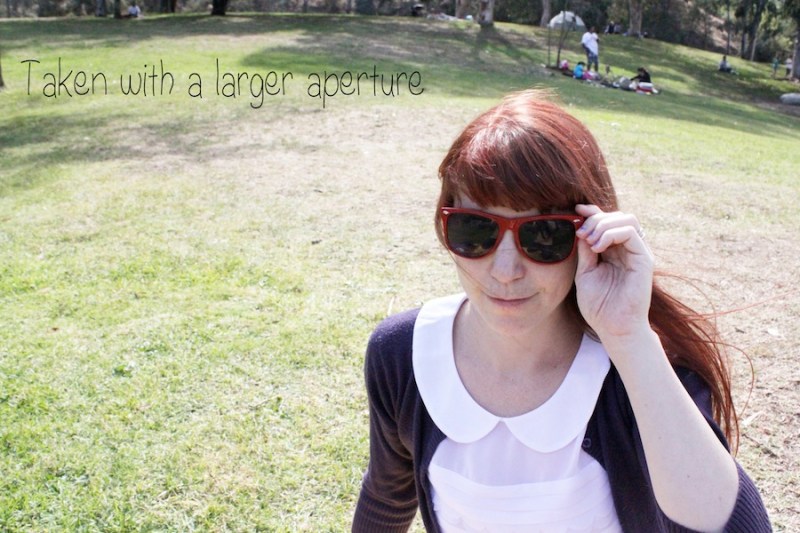
Basically, the lower the number on the aperture the blurrier the background will be. The higher the number, the more in-focus the whole shot will be. That’s it (essentially.)
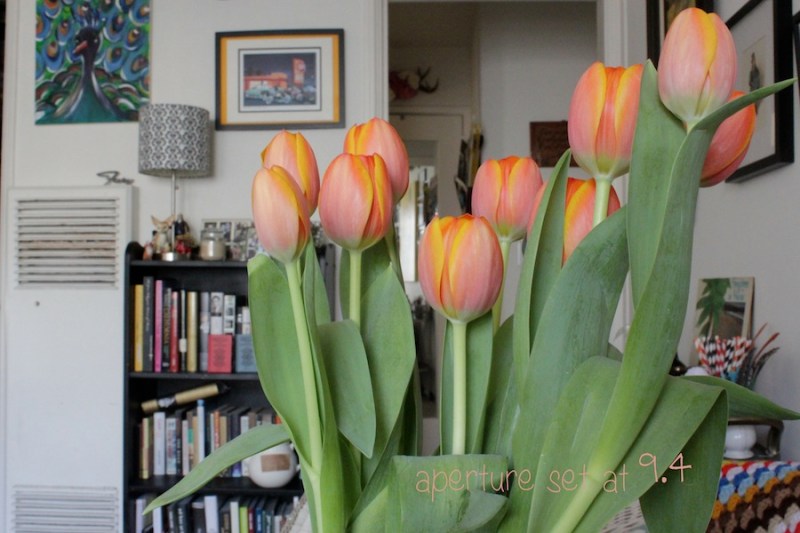
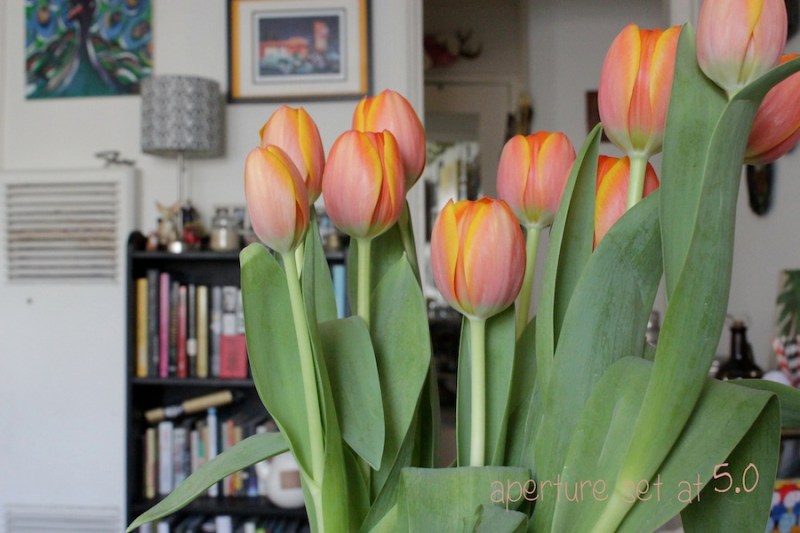
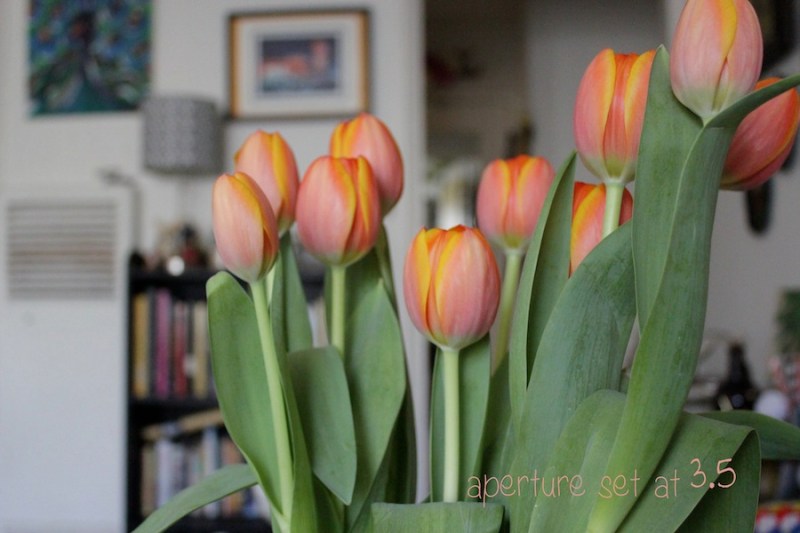
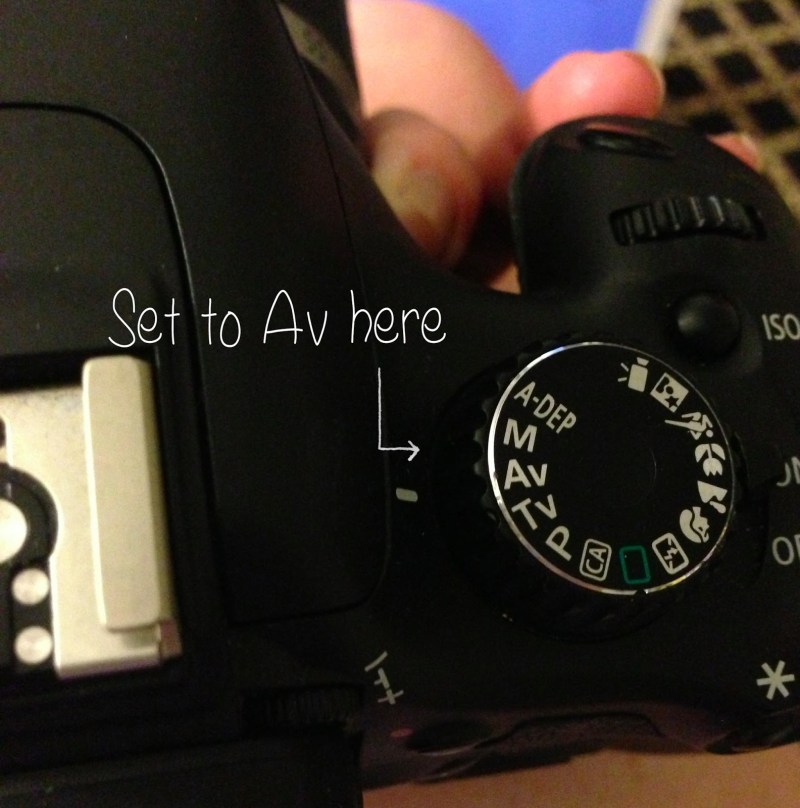
Here’s how I adjust the aperture on my Canon Rebel T2i –
Turn it to the AV setting.
Highlight the aperture box and use the scroller on the top of the camera to change the number. Remember, a lower number makes the background more blurry and a higher number makes it more defined.
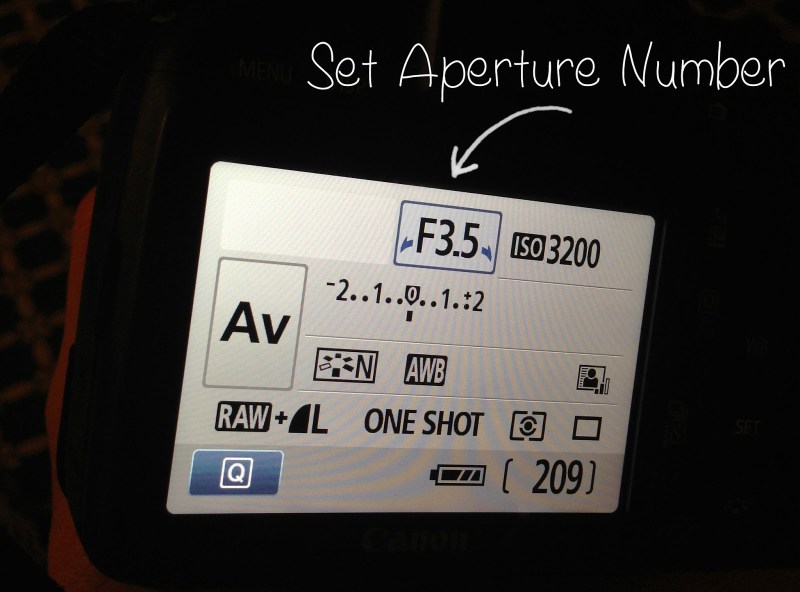
* Note, if you zoom in, you’ll be able to make the aperture number even smaller!
And that’s my down and dirty explanation of aperture and how to create depth of field in your photos when using a DSLR.
Happy Blurry Photographing!

